You’ll find this post in your _posts directory. Go ahead and edit it and re-build the site to see your changes. You can rebuild the site in many different ways, but the most common way is to run jekyll serve, which launches a web server and auto-regenerates your site when a file is updated.
To add new posts, simply add a file in the _posts directory that follows the convention YYYY-MM-DD-name-of-post.ext and includes the necessary front matter. Take a look at the source for this post to get an idea about how it works.
Jekyll also offers powerful support for code snippets:
def print_hi(name)
  puts "Hi, #{name}"
end
print_hi('Tom')
#=> prints 'Hi, Tom' to STDOUT.
Check out the Jekyll docs for more info on how to get the most out of Jekyll. File all bugs/feature requests at Jekyll’s GitHub repo. If you have questions, you can ask them on Jekyll Talk.
测试一下#所对应的标题的大小:
一个#
两个#
三个#
四个#
五个#
六个#
####### 七个#
5.3.1 man page
man是manual的简写。例:man date
进去man功能后,按下空格键往下翻页,按下“q”按键来离开man的环境。
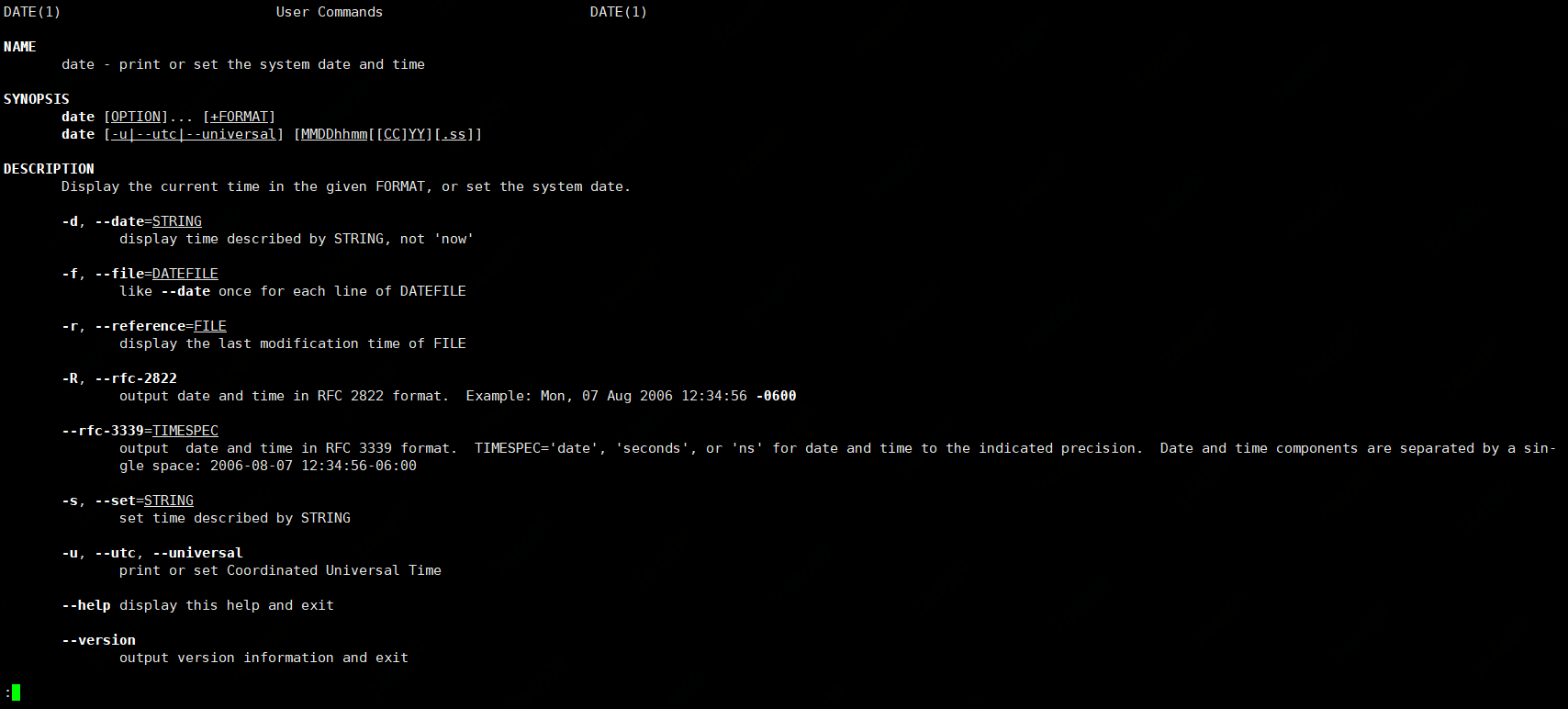 man page各个部分的含义:
- man date后第一行
DATE(1)表示:一般用户可使用的命令。 -
NAME解释了这个命令的含义。 -
SYNOPSIS说明这个命令的基本语法。 -
DESCRIPTION详细说明语法中谈到的各个参数的用法。 -
OPTIONS针对SYNOPSIS部分中,有列举的所有可用的选项说明。 -
COMMANDS当这个程序(软件)在执行的时候,可以在此程序(软件)中执行的命令。 -
FILES这个程序或数据所使用或参考或连接到的某些文件。 -
ENVIRONMENT与这个命令相关的环境参数的说明 -
AUTHOR这个命令的作者 -
REPORTING BUGS有bug就提交~ -
COPYRIGHT受到著作权法的保护 -
SEE ALSO还可以从哪里查到该命令相关的说明文件 -
EXAMPLE一些可以参考的范例。 -
BUGS是否有相关的错误。
刚刚的命令有DATE(1),那么除了1以外,还有哪些呢?
更详细的内容可以使用man 7 man来获取
5.3.1
| 代号 | 代表内容 |
|---|---|
| 1 | 用户在shell环境中可以操作的命令或可执行文件 |
| 2 | 系统内核可调用的函数与工具等 |
| 3 | 一些常用的函数(function)与函数库(library),大部分为C的函数库(libc) |
| 4 | 设备文件的说明,通常在/dev下的文件 |
| 5 | 配置文件或者是某些文件的格式 |
| 6 | 游戏(games) |
| 7 | 惯例与协议等,例如Linux文件系统,网络协议,ASCII code等说明 |
| 8 | 系统管理员可用的管理命令 |
| 9 | 与kernel有关的文件 |
在man page中可以进行的操作: